Community Platforms
7 Best Heartbeat Alternatives for Growing an Engaged Online Community
This post goes through a user-reviewed list of Heartbeat alternatives where we compare them based on pros, cons, use case scenarios, and pricing among other metrics.

Heartbeat, while a lesser-known platform for coaches, has built a loyal audience as a dependable community management platform.
It targets smaller creators like educators, solopreneurs, and startups with its affordable pricing and easy-to-use platform.
When we started writing this piece, our aim was to create a comparison that outlines Heartbeat's strengths and weaknesses alongside its most well-known competitors. The goal is to make sure you are signing up for the platform that is right for you.
All of these platforms made it onto our list because, in one way or another, they demanded our attention among a long list of options. We user-reviewed each to figure out the best use case for each.
What does Heartbeat offer coaches and creators?
Heartbeat is a community-focused coaching platform that allows you to host your courses and events in the same place while also processing payments for you.
Some of its key features and strengths users often mention are what we have tried to break down below:
The 14-day trial allowed us to take a look at the community-building process within the platform for someone who is just signing up. You start by choosing what kind of community you are trying to build:

After this, a few more questions regarding where your community currently lives, whether you have monetized yet, and what your top priority is help the system generate a basic template for you.
After this, Pulse AI helps you build out a basic landing page and community structure.

It actually does a good job of pulling information from just your name and then suggesting what kind of community you might want to create. As you answer more questions about what kind of courses you want to build and how you want to monetize your platform, the AI system creates a more structured template for you.
You can also do this manually by going straight to different sections like ‘Courses’, selecting a template, and building out from there.

Their templates are also pretty useful. This is what a 3-day program template looks like:

Building your course and community within the platform is a relatively straightforward process, made easier with a solid list of features.
Structured spaces and channels: Similar to Slack, you can organize conversations into specific channels or threads so discussions stay in silos and don't become an overwhelming feed.
Voice rooms: A unique feature, voice rooms are a one-click drop-in style audio room where members can collaborate or chat casually. Presence indicators show members who are currently active.
AI transcripts of voice notes: Voice notes are automatically transcribed using AI.
Integrated learning material: Text, embedded videos, videos created within the platform, downloads, and discussions are all in one place. Students can ask questions and get peer support in the same place they view course material.
Free Trials & Promo Codes: Monetization options include sales funnels where creators or coaches can add in free groups, trials, or promo codes that can help convert visitors into paying members.
Which creators are looking for Heartbeat alternatives?
While having a strong list of strengths, coaches who bump into specific hurdles are often looking for alternatives that better suit their specific situation. These are the most common reasons we found that led coaches to switch platforms:
Text-based platform: Heartbeat is built around text posts and discussions, which limits the depth of connection and engagement the platform can facilitate. Creators who are tired of text-heavy platforms or low engagement may want to look for a platform that facilitates higher engagement and deeper connection, such as a video-first community platform.
Generalization vs. feature depth: While Heartbeat works well as an all-in-one for smaller creators and coaches, its lack of feature depth may become an issue as your community grows. Some coaches wind up using different platforms for different reasons (one for courses, one for community, etc.) while others opt for platforms that serve their desire for specific features better.
High cost to manage low-engagement members: For creators with large communities, the pricing model can often be a downside. This is because each pricing model has different member limits. For example, the base plan of $49/ month (when billed monthly) has a limit of 350 members. Assuming some of your members are on a free trial, low-engagement, or free members add up quickly and make monthly costs hard to manage.

Interface overload: Heartbeat’s interface is impressive with voice rooms and Pulse AI to help you get things set up. This can sometimes be overwhelming for someone who is not used to setting up platforms for their community or is not as tech-savvy.
Customization and Brand Ownership Constraints: White-labeling and custom domains are only available on higher tiers. Custom-coded dashboards, unique user flows, or a branded application can find this restrictive compared to building it out themselves using a custom stack of their choosing.
How do you choose the right Heartbeat alternative for your brand journey?
Depending on the features you need and the monetization strategies you want to employ, different alternatives might suit your needs best. The table below highlights the category in which we would put each platform, and the breakdown below goes into pricing, features, strengths, and weaknesses.
Note: Pricing below reflects monthly billing. Most platforms offer a discount if you pay for a year at a time. Some platforms only allow annual billing, which tends to be restrictive.
Platform | Highlights | Pricing for the base plan | Transaction Fees |
A video-first approach to community building. This platform works well for Heartbeat users who want to build more engaged communities. | $29/month | 10%, 2%, and 0.5 % on Launch, Growth, & Scale plans respectively | |
Coaches and creators looking for more advanced features like upsells, event hosting, white-label apps, email marketing, and payments might prefer EzyCourse. | $79/month (paid monthly) | 0% transaction fees across all subscription plans (Essential, Pro, Unlimited, and Elite) | |
Coaches who are looking for features that will allow them to deliver a more personalized experience to users. | $29/month (paid monthly) | 0% transaction fees on sales made through its commerce feature. | |
More feature-dense than Heartbeat, Mighty Networks is considered when creators and coaches outgrow smaller platforms. | $95/month (paid monthly) | Ranging from 2% on the ‘Launch’ plan to 0.5% on the highest tier plan. | |
Marketing and sales-focused, Kajabi helps creators grow their brand with the help of features from within the platform itself. | $179/month (paid monthly) | Kajabi Payments only has card processing rates that scale slightly based on plan. If using third-party payment processing, only processing platform fees apply. | |
The cheapest on the list with limited features, this option works well for new creators or those on a budget. | $9/month (paid monthly) | 10% transaction fee on the $9 plan, 2.9% transaction fee on the higher plan. | |
This platform is meant for bigger communities that are looking for robot features to grow their community but are open to using other tools for monetization and sales. | $199/month (paid monthly) | Bettermode does not have native payment processing or built-in monetization. |
Swarm: a video-first alternative for deep connection
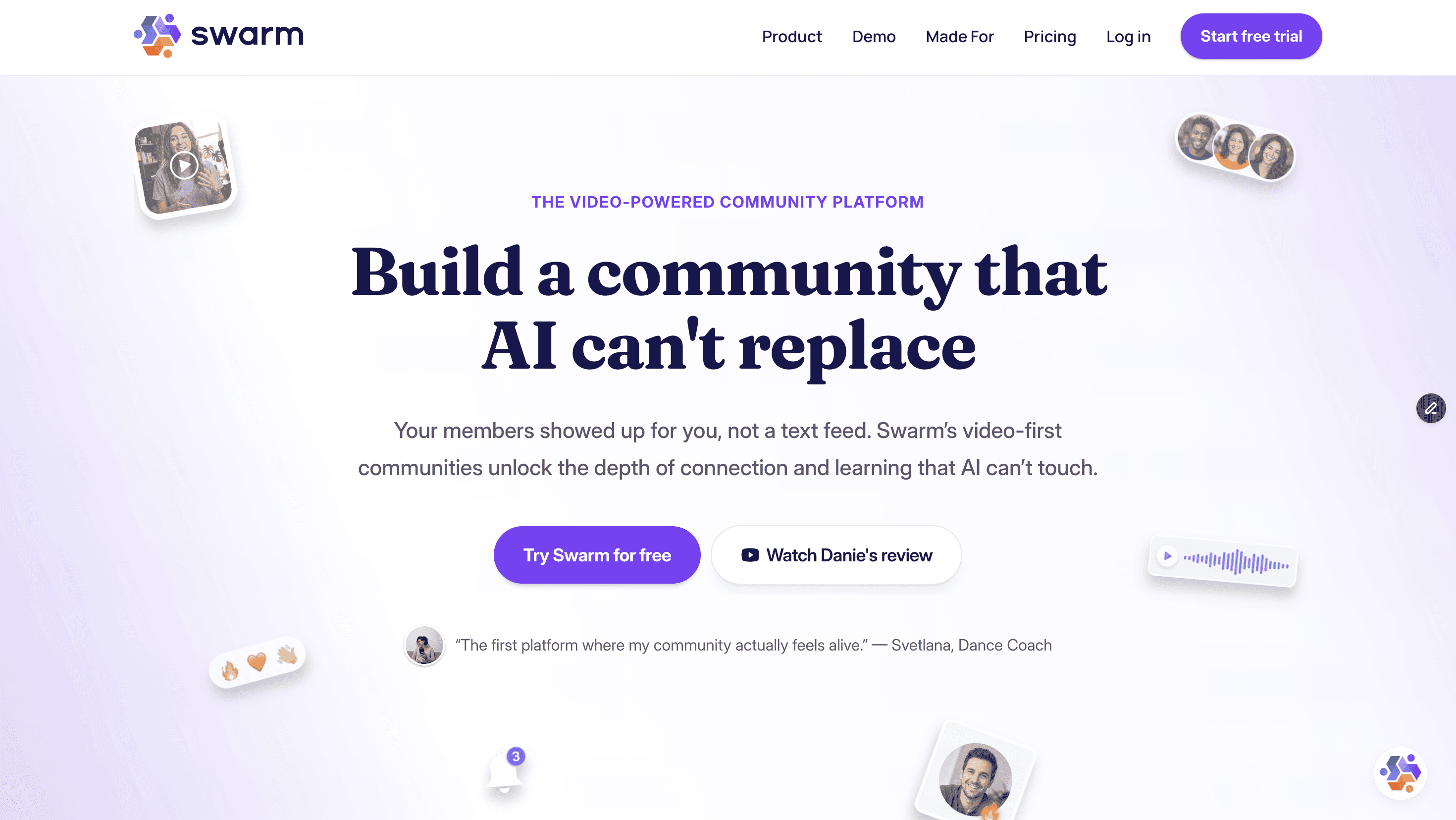
Swarm positions itself as a video-first community that prioritizes depth of engagement and community-led learning.
That means members interact primarily through video, although text and voice options remain available. Text-first platforms are unable to successfully mirror the depth of conversation, tone of voice, body language, and facial expressions that video communication provides.
We wanted to create a platform that saw better engagement and retention rates than other competitors were managing. A video-first approach showed creators better completion rates within our platform. This was reinforced by statistical data, such as the fact that 93% of video marketers see video as an important part of their overall strategy.
Higher engagement rates, in turn, lead to creators being able to charge more for their material or sponsorships they might be working on through other channels. Creators with an engagement rate of over 8% can charge 20%-30% more compared to average rates for their tier.
With this in mind, Swarm focuses on allowing video engagement as an option in any conversation or thread. Creators and members can reply with video recordings or screen recordings within a conversation thread, or custom videos can be sent to a member to explain a specific concept.
Pricing

When billed monthly, the base plan is $29/month. It includes up to 1000 members, 1 space, unlimited video and voice messages, multi-tier memberships, and a branded digital store.
The downside of this tier is the 10% transaction fee, which drops to 2% at the next tier, which is $89/month.
We see smaller creators who have not monetized yet or are just starting to monetize start with the $29 plan, and then as their community grows, upgrading to the higher tier makes sense. The next plan, at $89, covers features like longer live streaming and recordings, which often come up more frequently as you see community growth.
Our highest tier is $199/mo and includes third-party integrations, concierge migration, as well as a branded app and white-label domain.
Key Features
Video and voice: Any thread allows members or creators to reply with a voice note, text, video, or a screen share. This is hosted natively within the platform.
Hubs and topics: Each part of your community can be managed by separating them into different hubs. Within hubs, topics are used for further filtering. Finally, hubs can be grouped together by section.
Moderation: As communities grow, so does your team. Swarm has six different role levels as well as the ability to change permissions depending on the channel being used. Admins, moderators, and other roles can be assigned to different people who can handle moderation in different parts of your community.
Multiple layouts: Hubs can have different layouts depending on the purpose they serve. Swarm layouts include a feed, video grid, or chat layout. The feed view is best suited for a hub that needs a lot of scrolling and discovery capabilities. The video grid is suitable for face-first discussions, while the chat layout is meant for real-time conversations that can be had on-the-go.
Quizzes and certificates: With engagement in mind, we encourage creators to include quizzes within courses. These quizzes can be added at any point in the course. Multiple-choice questions or open-ended questions can be added to quizzes, and shareable certificates can be provided upon completion.
Social learning: We often saw members having to move between sections to switch between community and courses. With that in mind, Swarm built discussion into each course. These discussion hubs allow members to share progress, ask questions, and celebrate wins.
Gamification: Members can earn points that get added to their profile. These points work alongside level upgrades, an overall leaderboard that tracks engagement, and automatic badges for milestones reached.
Ideal for
Coaches and creators who are struggling with lower engagement levels on other platforms often turn to Swarm to help grow their community.
1:1 and private asynchronous spaces that allow members and creators to engage with each other through different media options like text, screen shares, video, or audio encourage community growth.
Pros | Cons |
Flexible messaging configurations like 1:2 spaces where two business partners can have access to the same private thread with the coach. | Large, text-based communities might find Swarm’s video-focused approach is not ideal for how their community is laid out. |
A blended course and community layout allows creators and coaches to sell memberships, products, or courses alongside community interaction. | Older platforms might have more third-party integration options than Swarm does. As a newer platform, it is still adding new integrations consistently. |
More budget-friendly than platforms like Mighty Networks with more beginner-friendly pricing. | |
Swarm provides white-labeled mobile and desktop app experiences as an option at their higher pricing tier. |
Users say
"An Unmatched Tool for Client Engagement & Coaching"
What do you like best about Swarm?
Swarm.to has completely transformed how I engage with my clients. As a coach, one of the biggest challenges is balancing ongoing client support while maintaining clear, professional boundaries. Many clients I’ve already consulted with still need additional guidance, and instead of awkwardly ignoring messages or offering disjointed email support, I now have a structured, effective way to provide ongoing coaching—while ensuring my time and expertise are valued.
This platform allows me to monetize client engagement seamlessly, offering a dedicated space where clients can access my guidance without the inefficiency of scattered texts or emails. The fact that it’s web-based is a game-changer—it bypasses app store fees, keeping costs low while delivering a premium experience. I’ve searched everywhere for similar software, and nothing else offers this level of functionality at this price point.
But beyond the software itself, the absolute best part of Swarm.to is the team behind it. The founders and developers are incredibly responsive, kind, and truly care about improving the platform. They not only helped me tailor the tool to my needs, but they’ve also implemented entirely new global features based on my feedback. In a world where most SaaS companies feel faceless and rigid, Swarm.to stands out as a business built by real people who listen and innovate.
If you need a powerful, cost-effective solution for client and community engagement—and you want to support hardworking small business owners who actually care—Swarm.to is hands down the best choice. Highly recommended!
What do you dislike about Swarm?
There’s nothing I truly dislike about Swarm.to, but if I had to mention one minor challenge, it would be that some of my clients, especially those over 45, find it a bit confusing to install the app since they are used to downloading everything from the Apple Store. Because Swarm.to is web-based, it requires a different setup, which can create a small learning curve for less tech-savvy users.
That said, I actually prefer this setup over having the app in the App Store, because it means I can bypass unnecessary fees and keep my pricing reasonable. If anything, I’m the one who needs to put in place a more structured onboarding process on my end to help my clients get set up smoothly.
"Top Rate Customer Service and Platform"
What do you like best about Swarm?
The best thing about Swarm is its customer service and video capability. It’s always refining and improving its features. They don’t add too much too fast, but are very responsive and attuned to user’s needs. I feel at home building my business there from the ground up. Their community helps entrepreneurs to build their own community by hosting discussions with coaches and mentors. I feel very confident in Swarm and its creators.
What do you dislike about Swarm?
So far, I don’t have a downside other than occasional questions about a new feature that may need some changes. They are always responsive with making sure things are refined for everyone I’ve seen in the community, including myself.
EzyCourse: feature-dense knowledge business platform

EzyCourse is feature-dense with upsells, event hosting, white-label apps, email marketing, and payments all built into the platform.

The standout difference from some other platforms is that EzyCourse also focuses on marketing and sales features. The platform lets you create landing pages and funnels, automate email campaigns, build blogs, and tie it all together with a robust analytics dashboard.
This allows creators to replace separate platforms like MailChimp or Kit (formerly ConvertKit) for email marketing and ClickFunnels for sales funnels.
Pricing

EzyCourse’s ‘Essential’ tier currently starts at $79/month and includes a custom domain, its AI generator that allows creators to create landing pages and course outlines, free migration, unlimited courses, a membership site, and communities, among other features.
Notably, EzyCourse also includes email marketing in every tier, starting at 10,000 emails in their basic ‘Essential’ tier.
It also has 0% transaction fees regardless of which plan you are on.
Key Features
Funnel & Marketing Consolidation: EzyCourse can replace a patchwork of tools because it includes built-in email marketing in every tier, blogging tools, and a checkout tool that lets creators add upsells and order bumps.
Budget-Friendly White-Label Apps: EzyCourse offers branded white-label apps as add-ons on basic tier plans and includes them in higher-tier plans. It also includes a free EzyCourse app (iOS & Android) and TV app on every tier.
Diverse Digital & Physical Assets: Creators with a wide range of product types benefit because the platform supports selling almost anything behind a paywall. Coaches and creators can sell digital downloads, recurring memberships, physical tickets, events, and more.
“Magic Checkout”: The platform’s “Magic Checkout” feature is a one-click checkout system that accepts payments through multiple payment channels, with no additional transaction fees beyond the fees the payment method (like Stripe) charges. Creators can also include upsells, tiered volume pricing, coupons, and multi-currency transactions.
Content Protection: Security features like DRM-protected video delivery and dynamic video/PDF watermarking are built in to protect coaches and creators from privacy threats.
Ideal for
EzyCourse works well for entrepreneurs and course creators who want an integrated ecosystem with a strong set of features to back them at every point of growth.
Pros | Cons |
A fragmented tech stack is replaced by an all-in-one ecosystem that includes an email marketing CRM, booking calendars, an affiliate system, and a website builder under one roof. | As we have seen before with all-in-one platforms, the downside is that there is a learning curve to get used to the many features the platform offers. |
Gamification tools like badges, points, and leaderboards aid member engagement. This feature is included in the ‘Pro’ tier and above. | The fact that all of your data lives in one platform increases the complexity of migrating elsewhere down the road. |
No transaction fees are added by the platform itself, no matter which plan the creator or coach is on. | When it comes to community features, the main interaction format is text, which limits the ability to create strong ties among members. Text removes facial expressions, tone, and body language, which carry 93% of human meaning. |
Strong security features to protect creators’ content. |
Users say
EzyCourse has everything we need
EzyCourse has everything we need, from courses and memberships to AI website building, powerful email marketing and automation. Plus, the support team is always quick and helpful. Love how much we can do from one platform.
Switched to EzyCourse a few months ago…
Switched to EzyCourse a few months ago and it replaced about four tools for me. They migrated everything over for free and designed my site from scratch, so setup was painless, and the AI website builder makes edits easy. I run my courses, community, memberships, and digital products all from one dashboard, plus built-in email marketing and automation that saves me hours. The 24/7 support is the real standout, quick, helpful replies whenever I get stuck. Easy to use and fair pricing. Highly recommend for any creator.
Clarityflow: an alternative focused on asynchronous 1:1 client communication

Clarityflow (formerly known as ZipMessage) was built specifically for coaches. The platform is more focused on 1:1 coaching than the other options on this list.
This is reflected in the other features they highlight as well, like a to-do list that can be assigned to clients individually. You can also onboard a client with a customized and personalized video.
Pricing

Starting at $29/month for monthly plans, Clarityflow is one of the more affordable options for small businesses and coaches.
The ‘Starter’ plan includes unlimited conversations, unlimited appointments, unlimited tasks, unlimited form entries, one intake page, and a library you can use to build coaching content.
Key Features
Self-paced learning paths: Tailored modules and self-paced learning paths allow for a more personalized coaching experience.
Calendar Scheduling: Clients can book sessions with coaches easily through a built-in calendar that reflects coaches’ availability.
Billing created with coaching in mind: Monetization options include one-off sessions, coaching packages, and recurring subscriptions.
Custom Forms & Onboarding: Personalized intake assessments, forms, quizzes, and onboarding workflows for different clients.
Ideal for

Clarityflow is best for coaches who are providing personalized coaching to a handful of clients.
Pros | Cons |
Coaches who are balancing live sessions and asynchronous communication. | Since it is focused on 1:1 coaching, Clarityflow is not suitable for larger communities. |
A coaching library can be created with forms, videos, and lesson templates to streamline content that needs to be shared with multiple clients. | Clarityflow is not a community platform so it not the best choice for coaches and experts looking to create a community as part of their coaching business. |
Searchable and automatic AI transcripts and summaries for all videos and audio messages. |
Users say
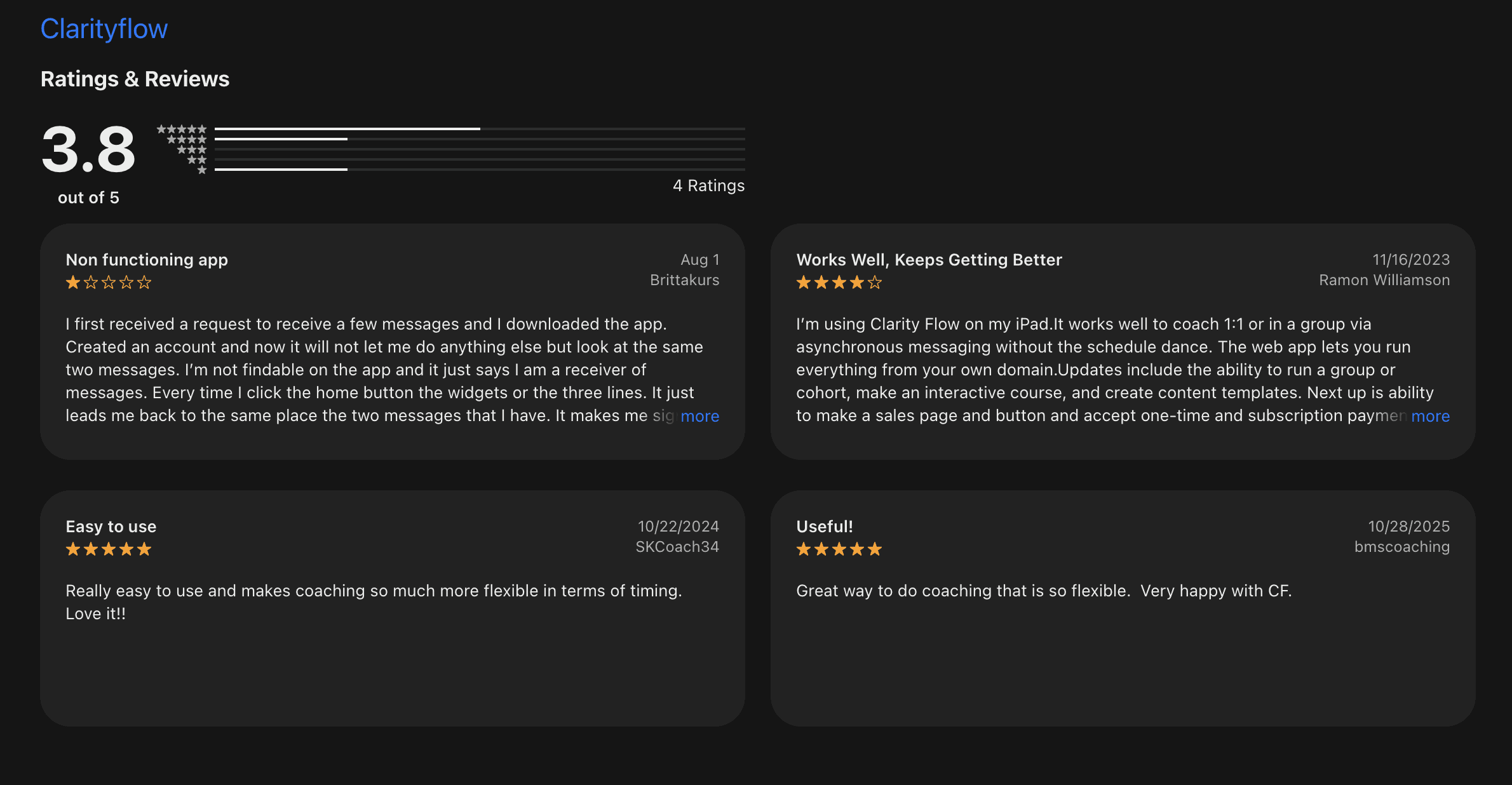
While we could not find TrustPilot or G2 reviews, the coaching app platform on the app stores included some reviews:
MightyNetworks: an enterprise-grade alternative to Heartbeat
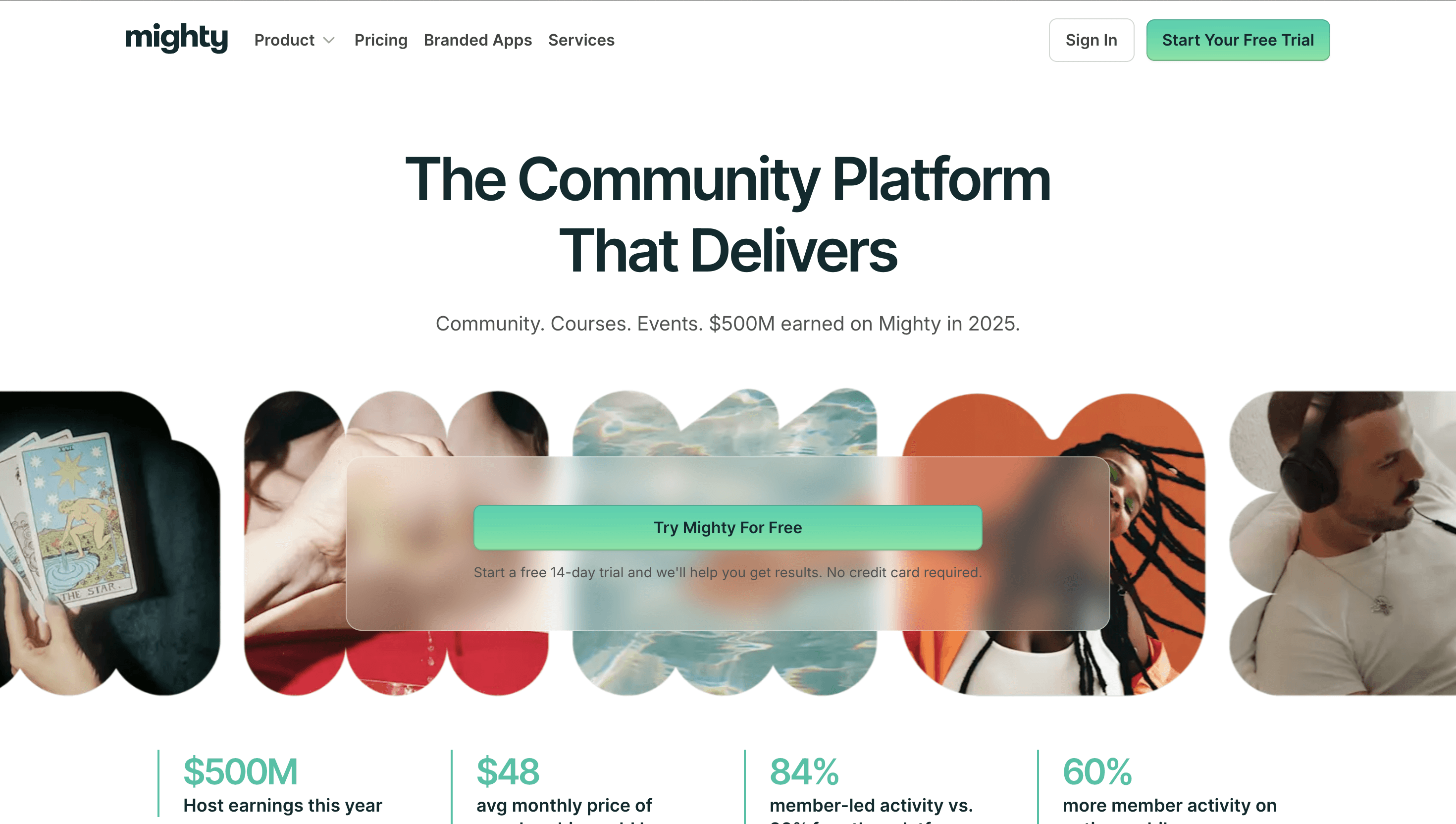
MightyNetworks has historically presented itself as a more premium, enterprise-level option that also includes all the features creators or courses need to build their community.
Their new AI Cohost feature allows for personalized setup and strategy. The feature also helps members with integrations, automations, funnels, and setting up other features. Designing your community and then setting up your platform is aided by the AI chat Cohost provides.
Pricing
When billed monthly, pricing starts at $95/month. This includes AI Cohost, community, courses, and basic automations. Scaling unlocks more features, with custom pricing available for larger organizations.
New creators can start at $48/month to test out their idea before launch. This offer allows creators to create a free mini-course or challenge to validate their idea before launch.
Key Features
Modular spaces: Multiple spaces let community creators customize each space with its own features and layout. The spaces can then be set to public, private, secret, or paid.
People explorer and matching: Member directories allow for networking by helping members find and connect with each other based on shared interests and activities or location.
Activity feeds: Activity feeds include polls, Q&As, and discussions so members have a clean, accessible list of updates.
Interactive Formats: Multimedia lessons, assignments for students, challenges, habit trackers, and more encourage student engagement.
Ideal for
Mighty works well for creators who want to go beyond building a simple chat-centric space. The robust community features allow creators to build out activity feeds that resemble a social network with member profiles, discussions, and articles in one place.
Pros | Cons |
Schedule, manage, and bill for virtual, hybrid, or in-person events all from within the platform. | Higher pricing tiers compared to alternative options. |
Professional networks benefit from the searchable member directory that aids networking by allowing members to search by location, industry, or shared goals. | Since threads, articles, and quick status updates all come up in the main feed, text discussions get buried unless members actively filter for it. |
Sleek and professional user interface for enterprise-level organizations. | Similar to EzyCourse, Mighty Networks is a text-based platform - and text limits engagement, since text removes non-verbal cues that make up more than 90% of human meaning. |
Users say
Good layout, but the broken reply notifications are a massive headache
We switched over hoping to get away from the mess of Facebook groups, but the latest updates totally wrecked the reply system. Whenever someone gets pinged about a reply under a post, the link just leads nowhere, which completely buries active threads and makes following discussions impossible for my mods. Getting a real human from support takes days when things go wrong, and dealing with automated bot responses during live events is just exhausting. The space looks nice, but basic thread glitches like this make it really hard to keep members engaged.
"Exceptional Support and AI CoHost That Saves Hours"
What do you like best about Mighty Networks?
The customer support at Mighty Networks is exceptional. As I prepare for launch, their AI CoHost has been a game-changer, answering my questions instantly and saving me hours of setup time. Whenever I need deeper assistance, their human support team steps in quickly and consistently exceeds my expectations.
What do you dislike about Mighty Networks?
I wish Mighty Networks included a native slideshow or image gallery feature. My community consists of mosaic artists who frequently share visual artwork, so built-in slideshow display options would make showcasing their work much easier. Fortunately, they provide a clear avenue for users to submit feature suggestions directly for their future roadmap.
Kajabi: a marketing and sales-focused all-in-one alternative

Kajabi positions itself as a premium enterprise-grade solution for full-time creators. Pricing reflects this all-in-one marketing stack, plus a platform that supports course hosting and a community.
Landing pages and sales funnels can be created within the platform to help drive growth for your courses and coaching business.
Pricing

The cheapest plan on the list starts at $179/month and includes 5 products, up to 2,500 contacts, a website, the ability to build a community, and two admin users. Features are added on quickly as you move to higher pricing tiers.

Key Features
Sales funnels: Funnels including targeted email campaigns, offers, and sign-up forms can be built out within the platform.
Email marketing: Customized emails, automated follow-ups, and analytics to track metrics help grow your business and keep in contact with members.
Kajabi Backstage: A private portal, personalized for each client with curated lessons, sessions, and direct chat with the coach.
Expert Agents: AI agents help creators with different Kajabi tools. For example, a sales agent to help build out sales pages or a teaching assistant to build out a course.
Kajabi's MCP: Claude, ChatGPT, and other AI tools can be plugged into Kajabi to help build your business.
Ideal for
Established, monetized businesses can benefit from Kajabi's enterprise-level feature list for creators.
Pros | Cons |
A complete all-in-one marketing and sales course builder that helps established creators further grow their business. | Significantly higher pricing tiers than a simple course builder or standalone community tools. Smaller creators may not need all the features Kajabi offers. |
Polished, professional themes and templates help creators build a sleek storefront for their products. | Limited complex discussion threading abilities mean that complex, multi-layered text conversations are hard to have on the platform. |
Courses, digital products, podcasts, memberships, and coaching programs can be hosted on a stable platform. | Kajabi is primarily a course platform, not a community platform. For coaches and experts where community is key, a community-first platform is a better choice. |
Users say
The Product Delivers
I switched to Kajabi in 2022. I had been selling physical products and had to move them to a digital platform. Kajabi does the job. They have some good tutorial videos to help you do the basics.
I also like the fact that I now have everything in one place. Products, email list, payment processing. There are other features I have yet to use to enhance my business.
You will need to be a bit techie but don't let that intimidate you. Once you use the system for a while it is easy and user friendly.
"Easy CRM Alternative with Room for Email Improvements"
What do you like best about Kajabi?
I think Kajabi is pretty easy to use overall, which is great. I like the templates we can use for emails, as they are easy to set up and others can use them too. It's nice to have the downloads and freebies that Kajabi offers. Also, even though we can't afford a big CRM, Kajabi works well for us in handling contacts. The initial setup was pretty easy with not much to do, which I appreciated.
What do you dislike about Kajabi?
I think the templates for emails could be a little easier to work with and a little easier to save. Sometimes there are different versions of emails that are not compatible with each other, and I think some of that can kinda get confusing for other people to use.
Skool: a simple community-focused alternative to Heartbeat

Skool’s list of features and pricing options is the simplest on this list. They focus on creating a single, simple community feed that is uncluttered and easy to navigate.
Courses, calendars, and leaderboards can be found in tabs, while gamification features like badges and levels populate member profiles and increase engagement.
Pricing

Pricing is broken down into two options: $9/month for unlimited members, courses, and videos, plus a 10% transaction fee. The higher option has a 2.9% transaction fee, an affiliate program, and a custom URL at $99/month.
Key Features
Affiliate program: A built-in affiliate program allows creators to build out an affiliate program that creates links, tracks links, and manages payouts.
Unified Community Feed: A chronological stream of discussions allows members to filter through posts, comments, and topics.
Gamification & Levels: Engagement is aided with gamification features like points, levels, and leaderboards.
Classroom (Course Hosting): Videos, texts, downloadable files, and progress reports are built into the course section that is hosted alongside the community.
Ideal for
Creators who are on a budget and only need simple community and course creation tools.
Pros | Cons |
A simple, frictionless user experience with a single, clean community feed. | The user interface, core layout, and features cannot be changed beyond a point. Skool has relatively fixed architectural parameters. |
Offers a built-in affiliate program with a 40% commission rate whenever creators refer people to Skool. | With a simple, Facebook-style community feed, important announcements or deep-dive text threads can get lost. |
Since the feed and user experience are simple, onboarding for a newbie is pretty straightforward. | Some users dislike Skool’s gamification approach, arguing that it creates superficial activity (being tied to just likes and comments) and creates the illusion of engagement. |
Users say
While I could not find Skool reviews on review platforms like G2 or TrustPilot, some video reviews online have been helpful alongside articles that review the platform.
The general consensus is that the platform gets the basics done and is user-friendly if you are on the $9/month. However, if you feel the need to upgrade to the $99/month plan, there are better options available at that price point.
Bettermode: a customizable alternative for brands scaling their community
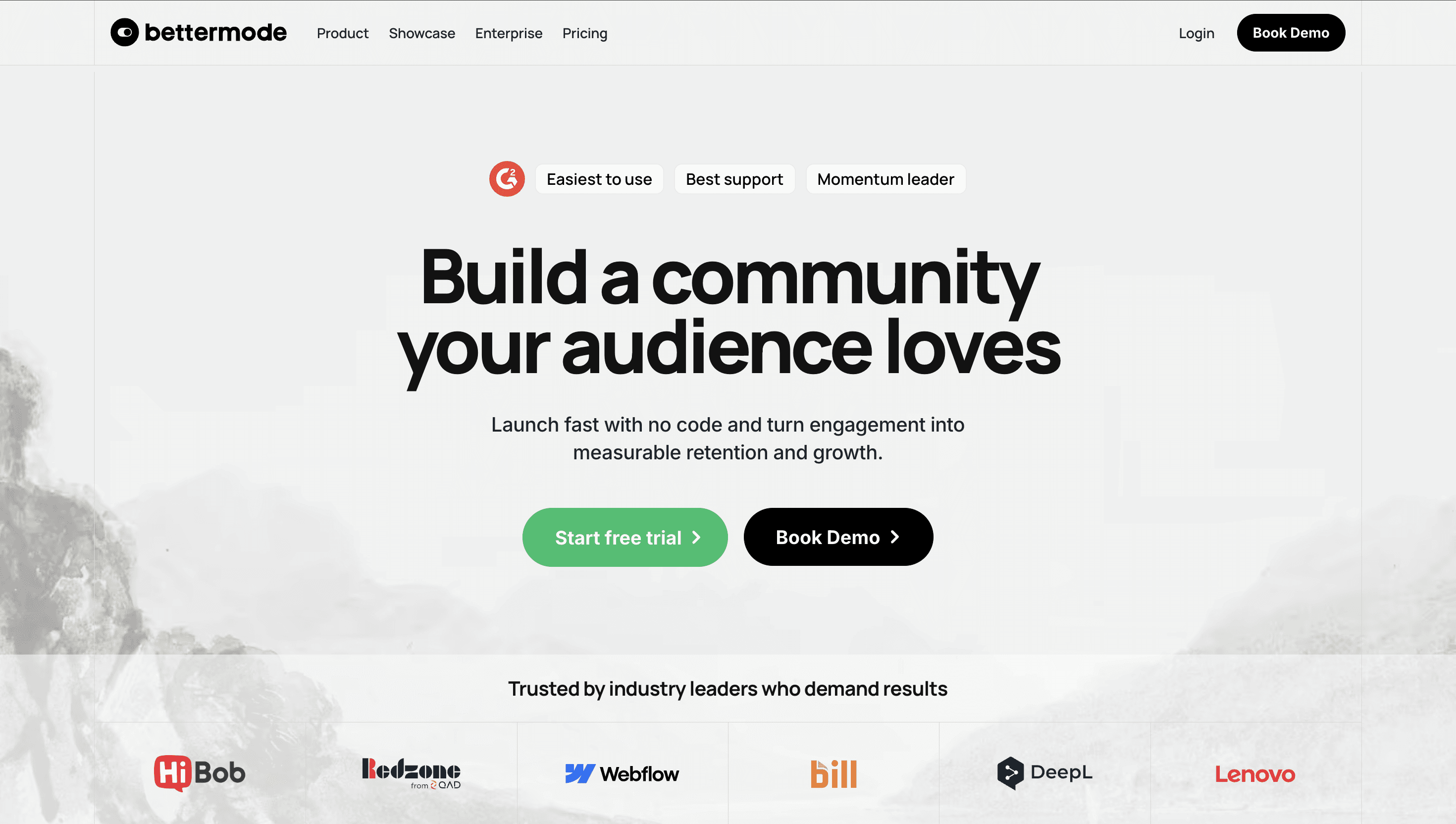
Bettermode works well for large communities that are interested in customization, knowledge sharing, and well-designed integration features.
The platform’s main focus is being an extension of a brand’s existing products and customer management systems. It does not include monetization or built-in checkout systems. Instead, it focuses heavily on community features and works alongside a stack of other tools.
Pricing

Bettermode’s pricing is on the higher end, with its ‘Starter’ plan having the ability to host up to 10,000 members, which is a reflection of the community size the platform is built to handle.
Key Features
Modular ‘spaces’: Content can be organized by topic, format, or permission level by placing it in separate, customizable containers that the platform calls ‘Spaces’.
B2B & Customer Success Integrations: Connecting with third-party tools like Zendesk, Intercom, HubSpot, Salesforce, and more is supported beyond most other platforms, which makes importing user data easier.
Enterprise Security & Single Sign-On (SSO): Secure access to the community platform is supported through OAuth, JWT, and custom SSO configurations.
Comprehensive Analytics: Dashboards tracking user metrics help companies track engagement, popular spaces, and activity levels across the community.
White-Labeling & Custom Domains: Removal of Bettermode branding allows for custom and white-labelled domains.

Ideal for
Best suited for organizations with an established tech stack who want an enterprise-level community management platform.
Pros | Cons |
Customization and layout control are strong points, with the robust design studio allowing organizations to build tailored, branded hubs. | No native monetization or checkout abilities, which means a separate tool is required. |
Long-form discussions can be organized well and live alongside extensive, searchable knowledge bases. | Too heavy an option for smaller creator communities. |
Advanced security and access controls are supported to help gate specific content effectively. | Primarily a text-based platform, with limited community features. |
Users say
"Lots of customization options to match pages to your company branding"
What do you like best about Bettermode?
It's easy to set up and to maintain, anyone can get started without code. It took a while for me to understand the concept of building CMSs that are then applied to spaces/pages but after I figured it out, it worked like a charm. Overall, there's minimal time spent on setting up the platform so you can spend more time on creating content.
There are also many templates to choose from to get started. Their support team is extremely responsive and helpful in answering questions.
We use Bettermode so we could build a community forum that we use to feed it into our AI chatbot. New questions and answers are submitted on a daily basis because of the ease of use.
What do you dislike about Bettermode?
While many things can be customized, not everything can be. If anyone is looking for an extremely custom solution, I'd recommend resorting to building their own website.
We tried using Better mode for our product roadmap but there are a few limitations because of which we decided to use a different tool for that.
"Bettermode for a Teen Chef Club @ a non-profit"
What do you like best about Bettermode?
Bettermode is the easiest LMS I have come across, as well as being fully customizable. I appreciate that you can set up your entire account and website within a day, without the need for a mandatory sales meeting or a paywall. Bettermode has been perfect for my non-profit's Teen Chef Club, helping to bring the teens together and communicate recipes, as well as farmers market pick-ups. I utilized the event feature four times, made numerous announcements, created multiple forums, and built the website. It's worth noting that I do not have a techy background; I even struggle to implement a bot into Discord! You have the option to disable private chats and enable AI moderation with keywords. This was a key deciding factor in which LMS I went with, as well as the fact that you can have up to 50 registered members, including three moderators. I also appreciate that after I declined a meeting with a sales representative, they didn't continue to try to sell to me. In the future, if my organization gets the funds, I will encourage my boss to purchase a plan. Bettermode (as far as I know) was easy for the teens to use and made them feel more comfortable with each other, thus it was easily integrated into the already established Teen Chef Club.
What do you dislike about Bettermode?
I wish there were a way to create an assignment for participants that they could complete privately, maybe even be graded. Polls would also be fun! A way to view the site's version history would be great for editing, as it would allow you to see what you had and get things back.

